How to post your event on Facebook for business impact
A practical, business-focused guide to posting events on Facebook, with steps, options, pitfalls, and tips for maximizing reach and engagement for startups and

If you want to reach customers, partners, or prospects, posting your event on Facebook is a practical step. This guide walks you through the exact actions, from creating an event to inviting attendees and measuring interest. The aim is to make the process clear, repeatable, and useful for growing a business audience.
Start by defining the event type, target audience, and key details. Then set visibility, dates, and a compelling description that aligns with your business goals. Finally, monitor engagement and adapt your approach for future events.
This article follows a practical, business-first approach. Each paragraph provides concrete steps, warnings, or examples you can apply immediately to your own events.
- Posting an event on Facebook requires clear objectives, precise details, and a plan for follow-up.
- Choose visibility, timing, and audience settings to balance reach and relevance.
- Craft copy and visuals that reflect business value and credibility.
- Track engagement metrics and iterate based on what works for your audience.
Basics of creating an event on Facebook
Clearly define the event
Start with a precise title and a plain description that outlines who should attend, what they will gain, and when it happens. Use an early benefit statement to hook the reader. Keep the details consistent across all copies to avoid confusion. post your event in Basingstoke
The event details should include date, time, location, and a straightforward agenda. If the event is online, share the platform and access instructions. This clarity reduces miscommunication and no-shows.
Finally, confirm that the event category matches your objective, whether brand awareness, lead generation, or community building. This alignment helps Facebook suggest the event to the right people.
- Use a specific end time so guests know when it concludes
- List accessibility options (live captioning, sign language) if relevant
- Provide a clear call-to-action (RSVP, ticket link)
- Double-check your event category and location for accuracy
Plan the event details and audience

Set a business objective
Before you publish, define what a successful event looks like: number of attendees, quality leads, or a specific follow-up action. This makes the posting more focused and measurable. Use that goal to shape the description and invites. Basingstoke Post headlines
Identify who should attend: customers, partners, or internal teams. Tailor the event language to their interests and responsibilities. This clarity helps you attract the right people and avoid wasted invites.
Consider a follow-up plan: what email or CRM touch will occur after RSVP. A simple sequence improves conversion and helps track ROI.
- Define success metrics (attendees, follow-ups)
- Tailor content to the audience
- Include a simple follow-up plan
- Prepare a clear CTA for registration
Choosing the right visibility and timing
Visibility settings and invites
Choose between Public, Private, or Invite-Only settings based on the event goal. Public events reach more people, but you should manage the attendee quality with strong descriptions and clear rules. find local businesses in Basingstoke
- ☐ Verify event details before publishing
- ☐ Set a clear guest policy
- ☐ Prepare prompts for engagement
- ☐ Plan post-event follow-up content
Use guest lists and partner pages to extend reach without spamming. Invitations from trusted hosts tend to have higher engagement and fewer no-shows.
Monitor the guest list daily and prune non-responsive invites to keep the list manageable and productive.
- Public vs Private: match to goal
- Invite high-potential contacts first
- Update description as needed
- Monitor activity and adjust invites
| Option | Reach | Control |
|---|---|---|
| Public event | Max reach | Low control over audience quality |
| Private event | Limited reach | High control over attendees |
| Invite-Only | Moderate reach | Controlled list of attendees |
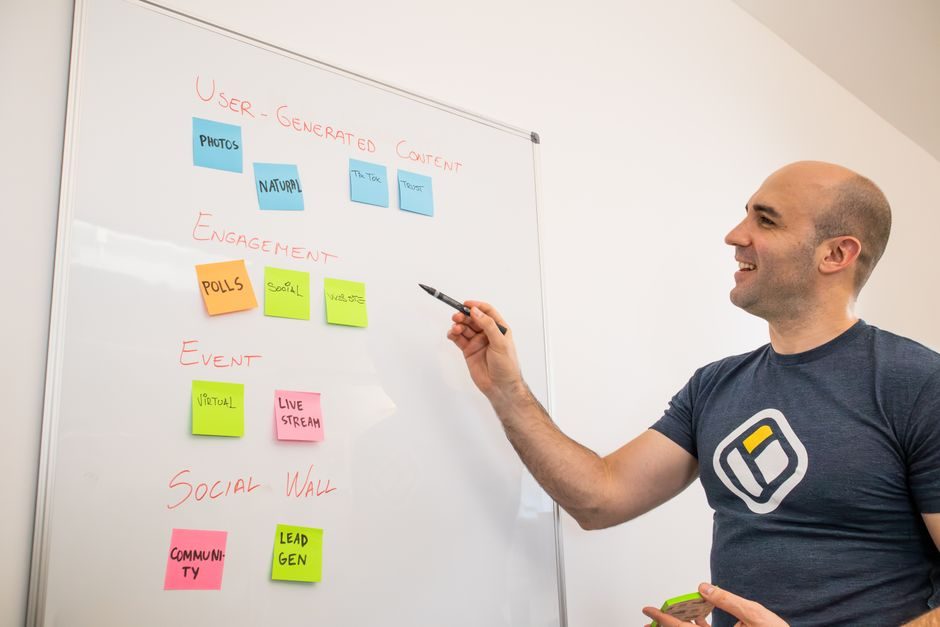
Pair the copy with engaging visuals: photos of a workshop, a speaker, or a workspace to convey credibility.
Content and image prompts for posts
Craft compelling copy for posts
Write a concise summary that shows the business value of the event. Highlight outcomes, speakers, or workshops that appeal to the target audience. Keep the tone professional and helpful. post a job ad in Basingstoke
- Event title and value proposition: 2 lines that describe what attendees gain
- Date, time, and location clearly listed
- RSVP link or ticketing information provided
Pair the copy with engaging visuals: photos of a workshop, a speaker, or a workspace to convey credibility. Avoid stocky clichés that reduce perceived value.
Test different headlines or descriptions in small batches to learn what resonates with your audience.
- Highlight business value upfront
- Use credible visuals
- A/B test headlines
- Avoid generic buzzwords
Measurement and data use
Interpreting event metrics
Begin with the purpose of each metric. Track attendance, RSVPs, and engagement to understand what drew people in and what turned them away. Use this to adjust future event details and marketing tone for business audiences. death notices in Basingstoke
Compare actual turnout to expectations using qualitative signals such as follow-up inquiries or conversations at the event. Look for patterns tied to timing, topics, or speaker lineup, then replicate the successful elements in your next event.
Apply a simple framework: define a primary goal (awareness, leads, or partnerships), measure related metrics, and review after each event. This keeps the data actionable rather than overwhelming the team with numbers.
If data quality is weak, clean your inputs by standardizing RSVP statuses and audience segments. Regularly check for duplicates or miscategorized attendees to ensure reliable insights.
- Define a single primary goal per event
- Track and compare RSVPs vs. actual attendance
- Note qualitative signals from conversations
- Standardize audience segments
Platform alternatives
Comparing social channels
Facebook is not the only venue for events. Consider LinkedIn for professional audiences, Instagram for visual demonstrations, and Eventbrite for managed registrations. Each platform has different audience expectations and engagement styles.
Map your buyer personas to the platform that best suits them. If your target is executives, LinkedIn posts and sponsored in-feed events may outperform broad Facebook reach.
Test cross-posting with minimal duplication and clear calls to action. A single event can be promoted across two channels with tailored copy to fit each audience.
Monitor where registrants come from and optimize budget accordingly. If LinkedIn traffic converts at a lower cost per lead, shift spend there while maintaining essential Facebook exposure.
- LinkedIn for professional audiences
- Instagram for visuals
- Eventbrite for registrations
- Cross-post with tailored copy
- Monitor channel performance
Localization and regional considerations
Adjusting for Basingstoke context
Even if a global platform hosts the event, local relevance matters. Use regional language, time zones, and community references to help participants feel connected. For Basingstoke audiences, mention local venues, commute considerations, or nearby business hubs when appropriate.
- Localize messaging for the Basingstoke audience
- Align times with regional business hours
Adapt content to local business norms. Some regions respond better to formal invitations, others to informal, concise posts. Gauge the tone by observing similar local events and their engagement.
Coordinate with local partners or chambers of commerce to amplify reach. Co-hosted events can leverage existing networks and lend credibility.
Ensure compliance with local advertising norms and platform policies in that region. Minor deviations can reduce reach or trigger restrictions.
- Use local references in copy
- Match tone to regional norms
- Partner with local organizations
- Follow local policies
Legal and privacy essentials

Compliance basics for event posts
Understand data collection when people RSVP. Collect only what you need and store it securely to respect attendee privacy. Clearly communicate how information will be used for the event and follow through on that promise.
- Explain data use in simple terms to attendees
- Keep consent records for audits
Be transparent about marketing consent. If you plan to add attendees to a mailing list, provide an opt-in path and an easy unsubscribe option.
Respect platform rules and regional laws on data handling and advertising. Non-compliance can disrupt a campaign and damage trust with your audience.
Document your privacy posture for internal use so teams can reference it during promotions.
- Limit data collection
- Provide opt-in choices
- Follow platform and local laws
- Document privacy practices
Frequently asked questions
Can I post an event on Facebook for a business audience without a personal profile?Yes. Facebook supports business pages creating and promoting events. A business page can manage RSVPs, announcements, and updates, which helps maintain a professional presence while keeping personal profiles separate. Ensure the page reflects your brand voice and access rights are properly managed.
How far in advance should I post an event for maximum attendance?Aim to post at least two to four weeks before the event to allow interest to grow and for participants to arrange schedules. For larger conferences, start conversations earlier and schedule reminders at strategic intervals to sustain momentum.
What privacy settings matter most for an event post?Choose visibility settings that align with your goals—private for restricted audiences or public for broad reach. Review RSVP data access permissions and avoid collecting unnecessary personal details beyond what you need for the event.
Is paid promotion worth it for small business events?Paid promotion can extend reach, but start with a small test budget, target a precise audience, and track the cost per qualified lead. If organic posting yields steady engagement, prioritize content quality and timely updates first.
Final steps for practical posting
With the basics in place, a well-structured event post blends relevance, clarity, and a clear call to action. Keep messaging concise, use regional cues when appropriate, and align the post with business goals such as lead generation or partnership exploration.
Next, set up a simple post-event plan that includes follow-up communication and a brief debrief with your team. This ensures learning sticks and future events improve in both attendance and impact.
Add Business News as a preferred source on Google


