How to get your business listed on Google Maps: clear steps
A practical, reader-friendly guide for businesses to appear on Google Maps, with step-by-step actions, tips, and common pitfalls to avoid.

This guide explains how to get your business listed on Google Maps in clear, actionable steps. You’ll learn the exact setup process, what information to provide, and how to verify your listing so customers can find you easily. The goal is to turn online searches into real visits and qualified leads.
From creating a strong business profile to managing updates, every action helps your local visibility. Expect practical steps you can complete in under an hour and ongoing tasks that keep your listing accurate. You’ll also see common mistakes to avoid and simple ways to measure impact.
If you run a storefront or service-area business, this process matters because a complete map listing drives local traffic and credibility. You’ll come away with a repeatable workflow that fits into normal business operations, not a one-off marketing stunt.
- Create and verify a Google Business Profile for your business. Ensure your name, address, and hours are consistent with other sources. Upload clear photos and write a concise description.
- Keep data current with regular updates to hours and services, and respond to reviews to build trust. Use the listing as a living asset rather than a one-time setup.
- Track edits and verify changes across platforms to avoid inconsistent information. Leverage simple optimization tactics without overdoing keywords.
Basics of Google Maps presence
Why a map listing matters
A map listing makes your business visible in local search and on the map itself, which is where customers start for nearby needs. A complete profile signals reliability and professionalism to searchers. You can expect higher click-through and foot traffic when your information is consistent. get your business listed in California
- Verify the business address used for the listing
- Maintain consistent business name and category
- Add accurate contact details and hours
- Upload clear photos showing the storefront and interior
How to prepare information
Before you start, gather essential details: business name, address, phone, website, and hours. Write a short, factual description that highlights what you offer and who you serve. Include unique selling points to differentiate you from competitors.
Next, collect photos that show your storefront, logo, interior space, and a service area if relevant. Quality matters less than clarity; avoid stocky or blurred images. Create a consistent tone across all fields so customers know what to expect.
- Business name, address, phone, website, hours
- Concise description and keywords
- High-quality, representative photos
How to claim and verify
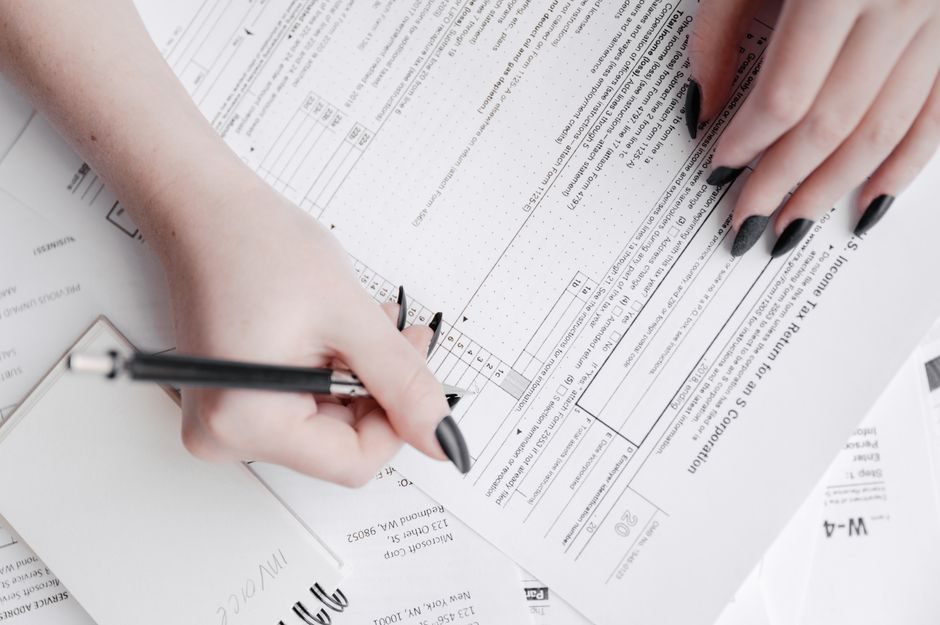
Claiming the listing
Claiming the listing is the first practical step. You’ll search for your business on Google Maps or Google Business Profile and start the ownership transfer. If the listing already exists, you can request ownership with proof of association. Wirenewsfax.com news
- ☐ Find your business on Google Maps and start the claim.
- ☐ Choose a verification method and complete it.
- ☐ Publish updates to reflect current operations.
Once you claim, fill in missing fields and adjust the category to fit your core offerings. Finish by publishing updates that reflect your current operations. This sets the foundation for consistent visibility.
Verification methods
Google offers several verification methods, with postcard verification being common for physical locations. Phone or email verification is possible in some cases, but not for all businesses. The method you receive depends on your account history and business type.
Plan for a short wait after choosing a method. Postcards arrive by mail with a code you must enter into your profile. Keep the address simple and accessible to avoid delays.
Editing and optimization
Keep data accurate
Accuracy in basic data is critical for local search performance. Inaccurate addresses or hours frustrate customers and increase bounce rates. Periodically compare your listing with your website and storefront to prevent drift. California events calendar
Add a clean description with keywords that reflect your products or services, not just generic phrases. Include service areas for mobile or remote customers if applicable.
- Consistency across platforms
- Regularly update business hours
- Use precise category and attributes
| Method | Pros | Cons |
|---|---|---|
| Postcard verification | Reliable for physical locations | Longer setup time and potential delays |
| Phone verification | Quicker confirmation | Not available to every business |
| Email verification | Fast when available | Limited applicability and frequency |
Responding to reviews
Engage with customers by responding to reviews in a timely, helpful manner. Even brief replies show you value feedback and can improve customer trust. Avoid defensive tones and focus on concrete next steps or remedies.
Use responses to highlight what sets your business apart, such as improvements or unique processes. Genuine, specific replies are more credible than generic statements.
Consider adding services or product lines in the description to capture broader local intent.
How to expand your local footprint

Local listing expansion strategy
To grow visibility, map presence should extend beyond a single location. Create consistent profiles for each storefront or service area to improve relevance in searches from nearby customers. Use precise business names, addresses, and categories to build a trustworthy footprint that maps back to your brand. California classified ads
Add photos of the exterior, interior, and team to build familiarity. Regularly update hours and holiday schedules so customers see accurate information. Consider adding services or product lines in the description to capture broader local intent.
- Add new service areas
- Create multiple listings per city
- Keep NAP consistent
- Upload seasonal photos
- Use location-specific keywords
Using Google Maps data for planning
Data-driven decision making
Use map insights to identify underserved neighborhoods or high-traffic routes that align with your product. Map metrics can guide where to open a pop-up, deploy staff, or adjust inventory. Treat maps as a compass for local growth rather than a standalone plan. California obituaries for local listings could surface in certain searches but should be considered carefully for relevance and tone.
Cross-check foot traffic with sales to validate hypotheses. If a district shows rising visits but flat revenue, investigate pricing, promotions, or product mix. Use this feedback loop to refine location strategy and channel mix.
Document learnings in a simple dashboard that teams can review weekly. Share an example of a change you implemented because of Maps data to anchor the process.
- Identify high-traffic gaps
- Test small pilots in promising areas
- Align inventory with demand
- Track outcomes over time
- Share actionable insights
Risks and common missteps on maps

Avoiding listing pitfalls
Misleading business names or inconsistent categories confuse customers and trigger policy flags. Keep naming straightforward and aligned with what you offer. Inaccurate locations or hours undermine trust and drive negative feedback.
- Inconsistent business details create confusion
- Multiple pages for one location confuse customers
- Ignoring updates erodes trust
Be careful with duplicate listings; they dilute reviews and can split responses. Regular audits help keep each listing clean and representative of a single storefront or service area.
Respond promptly to reviews, correcting factual errors and acknowledging concerns. A calm, specific reply can mitigate damage from negative feedback and show you care about customers.
- Inaccurate hours
- Inconsistent NAP
- Duplicate listings
- Poor review handling
- Unverified photos
Practical tips to sustain visibility
Ongoing maintenance routines
Sustain visibility with regular updates to hours, services, and seasonal offers. A quarterly audit keeps photos fresh and information accurate, ensuring the listing remains useful to time-constrained customers.
Engage with customers through responses to reviews and Q&As. Thoughtful, concise answers build credibility and invite more interaction, which can improve local relevance.
Coordinate with nearby stores or partners to maintain consistency across locations. Shared promotions or co-branded content can amplify reach without extra effort.
- Schedule quarterly updates
- Respond to reviews
- Verify photos regularly
- Coordinate with partners
- Run local promotions
Frequently asked questions
Do I need a Google account to list my business on Maps?Yes. You typically need a Google account to claim and verify your listing. The process guides you through business details, verification steps, and ongoing updates. Once verified, you manage hours, photos, and responses from a central dashboard.
How long does verification take?Verification can vary. Some businesses verify instantly, while others require a postcard or phone call. Plan ahead for this step and avoid changing critical details during the process to prevent delays.
Can I list multiple locations?Yes, you can. Each location should have a unique address and contact information. Maintain consistent naming and categories to avoid confusion and ensure the map shows accurate branches.
What common mistakes should I avoid after listing?Avoid inaccurate hours, inconsistent naming, and duplicate listings. Regularly refresh photos and respond to reviews to keep the profile active and trustworthy.
Sustaining a strong local presence
A consistent, up-to-date map profile helps nearby customers find you when it matters most, from quick visits to planned trips. Keep your hours accurate and showcase what makes your location useful, whether services, seating, or parking.
Establish a routine for updates, reviews, and new photos. A practical cadence turns Maps management into a steady business habit, not a one-off task. Start with a simple quarterly refresh and expand as you see what resonates with your audience.
Add Business News as a preferred source on Google

